Push Images
This article demonstrates how to push your images to the coScene container registry.
Prerequisites
You should have a built image or have created a test image following the Build Image process.
Push Images to Docker Hub
You can refer to the documentation Pushing a Docker container image to Docker Hub.
Push Images to coScene Container Registry
1. Authenticate and Log in to coScene Container Registry
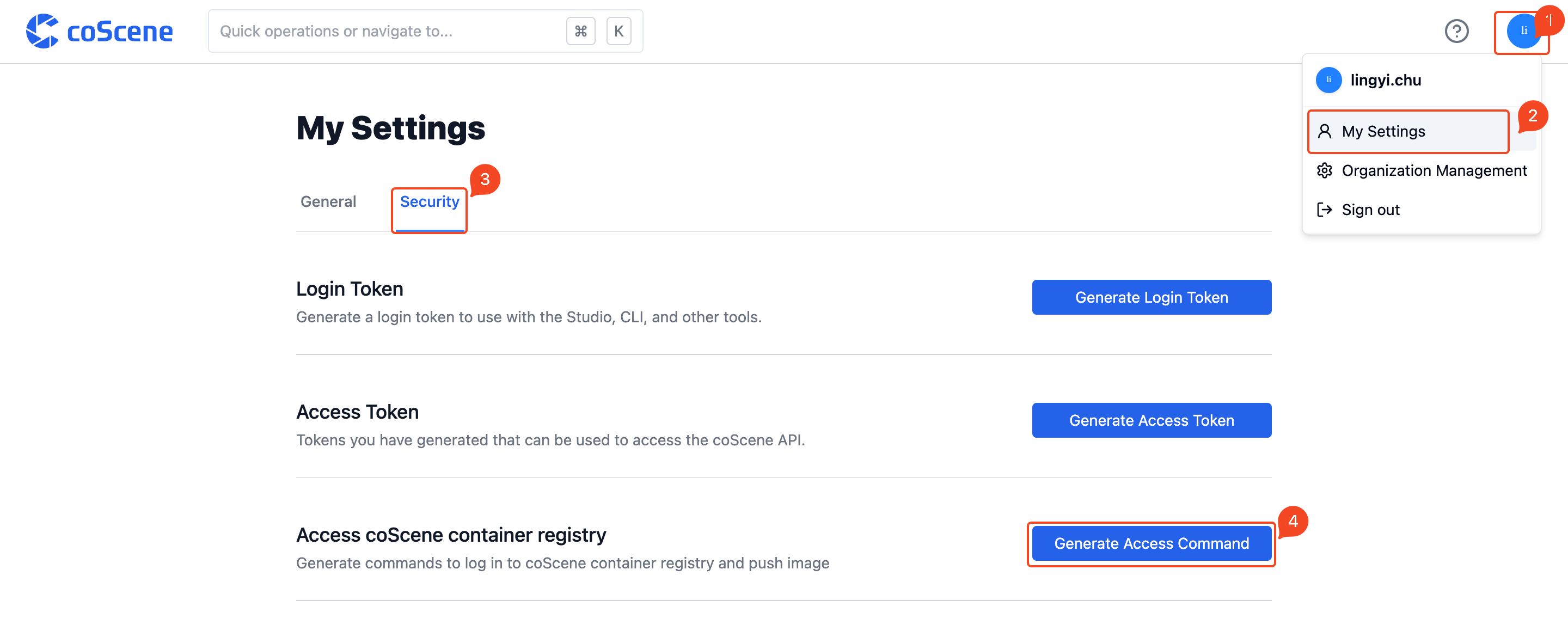
Log in to coScene platform, access [Profile Settings] from the user settings dropdown menu in the top right corner, then navigate to the Security page in [Profile Settings].
Click to generate access command to get the login command and password for the coScene container registry
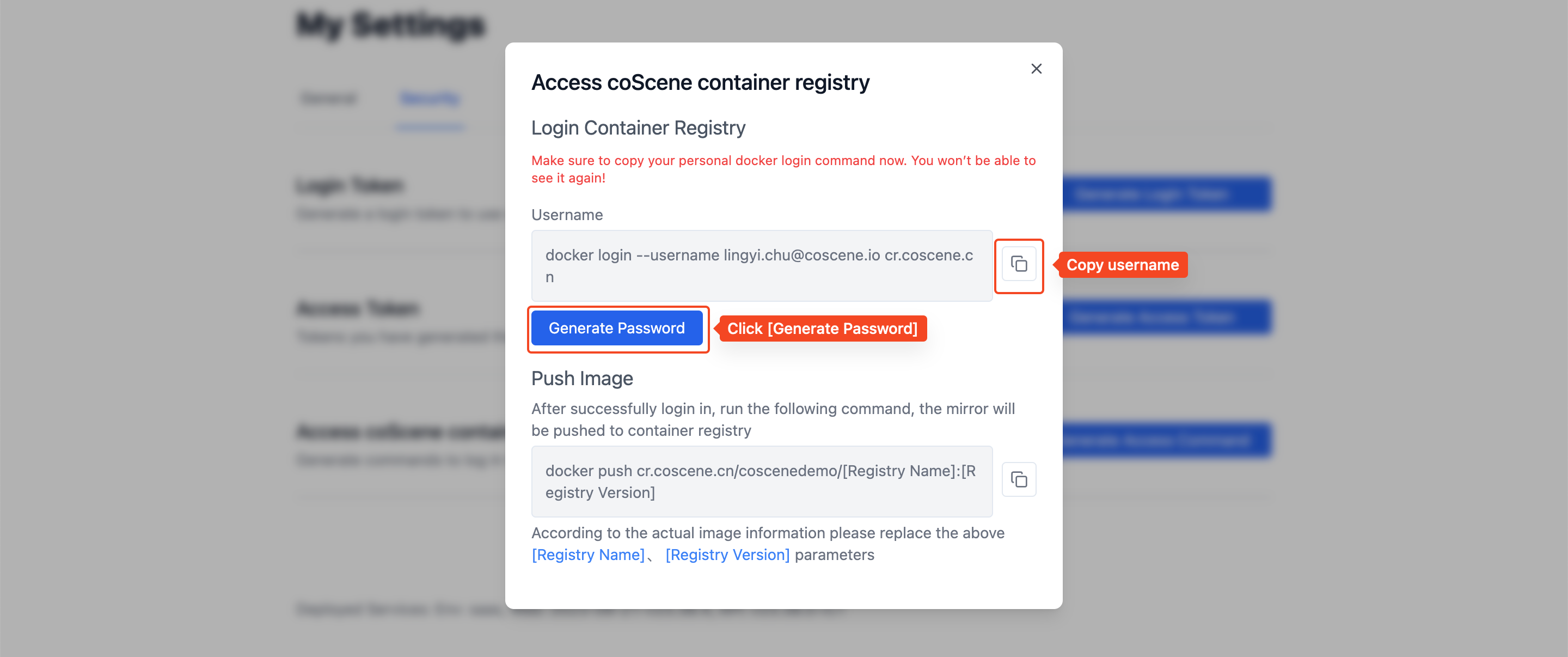
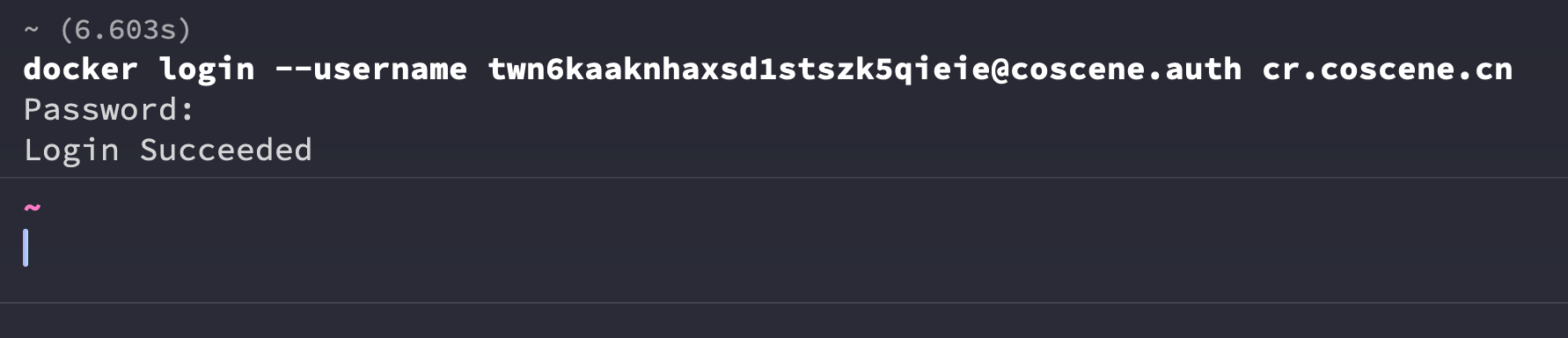
Enter the login command with your username in the command line and authenticate using the credentials obtained earlier
Push Images
After completing the build, you can use docker push to push the image to the coScene container registry.